
To manage online orders reliably, every request needs one clear status, one responsible owner, and one next action. Otherwise, orders become scattered across messages, spreadsheets, payment screenshots, and delivery notes.
This seven-step workflow is designed for Philippine businesses that accept orders through a website, social media, messaging apps, or staff-assisted channels. It works for pickup, local delivery, shipping, and in-house fulfillment.
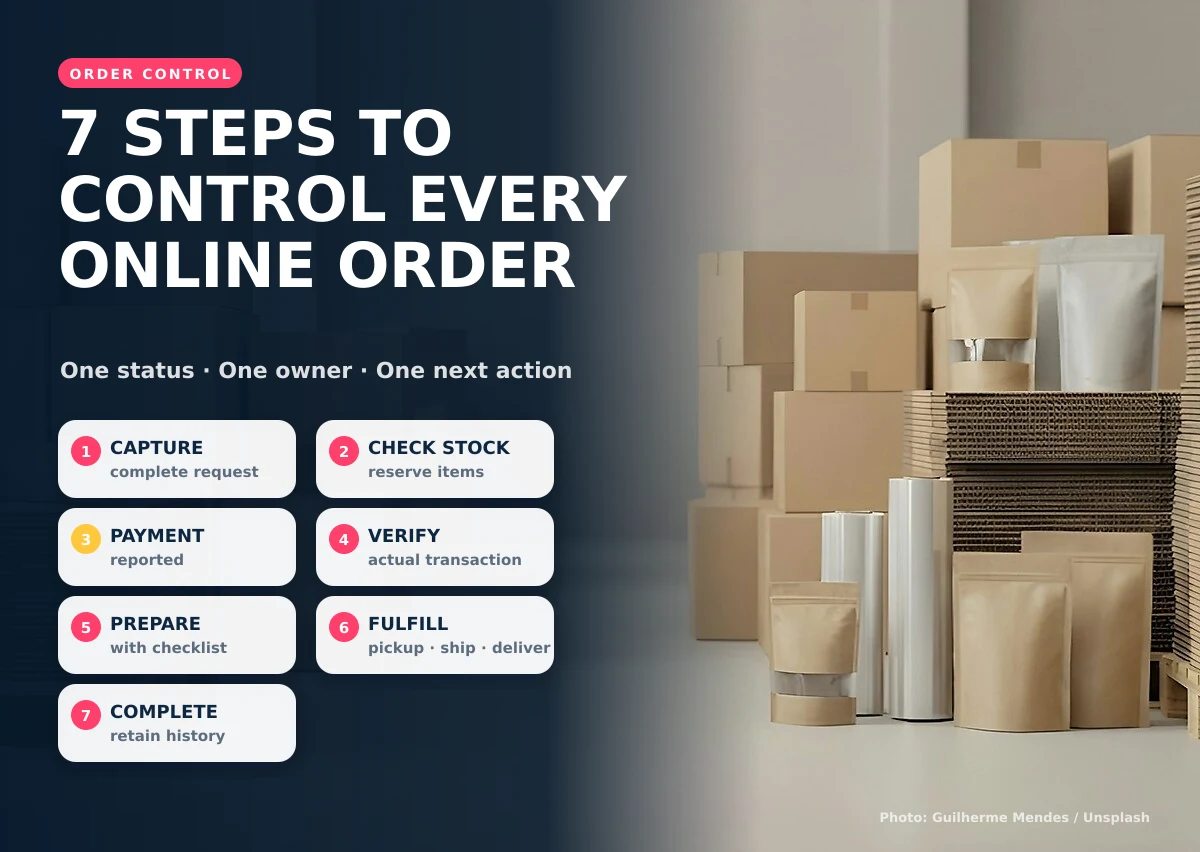
1. Capture the complete order request
Record the customer, products, quantities, contact details, fulfillment choice, address or pickup location, and any required supporting information. A request should not become an active order until the team can identify what the customer wants and how it should be fulfilled.
2. Check and reserve available stock
Confirm availability before promising a preparation or delivery date. If the business reserves stock, record which order holds it and when that reservation expires. This prevents the same item from being promised to several customers.
3. Keep “payment reported” separate from “payment verified”
A screenshot or reference means the customer has reported payment. It does not automatically prove that the correct amount reached the correct account. An authorized staff member should verify the transaction before fulfillment continues.
4. Prepare the order with a visible checklist
Preparation may include picking items, checking variations, packing, labeling, printing documents, or completing customer requirements. A checklist makes incomplete work visible before the order reaches the customer.
5. Route the order to the correct fulfillment path
Pickup, local delivery, third-party shipping, and in-house service require different information and actions. The system should show only the steps relevant to the selected method.
- Pickup: readiness time, contact person, and release confirmation
- Delivery: address, delivery assignment, and delivery status
- Shipping: courier, tracking reference, and dispatch date
- In-house: assigned staff, schedule, and completion confirmation
6. Close the order only after fulfillment
Paid is not the same as completed. Close the order after pickup, delivery, shipment handoff, or service completion has been recorded. Keep exceptions such as returns, failed delivery, or customer changes visible.
7. Preserve the history for support and reporting
A completed record should retain the products, totals, payment state, fulfillment method, responsible staff, and important timestamps. This helps with customer questions, repeat orders, stock review, and operational reporting. The DTI’s guidelines for online businesses also emphasize trustworthy and responsible online transactions.
Recommended order statuses
| Status | Meaning | Next action |
|---|---|---|
| New request | Order information received | Review details |
| Stock checked | Availability confirmed or adjusted | Request payment or confirmation |
| Payment reported | Customer supplied payment details | Verify transaction |
| Preparing | Order approved for fulfillment | Pick, pack, or perform work |
| Ready or dispatched | Order left preparation | Release, deliver, or ship |
| Completed | Fulfillment confirmed | Retain record and support customer |
Before changing tools, test the workflow with several recent orders: one normal order, one item with limited stock, one payment mismatch, one delivery exception, and one cancellation. If the team can explain the owner and next action for every case, the statuses are probably specific enough. If different staff interpret a status differently, revise the rule before automating it.
Start reporting with a few operational questions. How many new orders are waiting for review? Which paid orders are not yet prepared? Which dispatched orders lack a tracking or delivery confirmation? How long does each stage usually take? These measures reveal bottlenecks without turning the order system into a complicated analytics project.
Causing Designs builds an ecommerce order management system around the way a team receives, verifies, prepares, and fulfills orders.
If you want to manage online orders without relying on scattered chats and spreadsheets, show us your current order workflow.